Data for the following pay periods is available:
•Annual
•Monthly
•Bi-Monthly
•Weekly
•Hourly
To Change the Pay Period
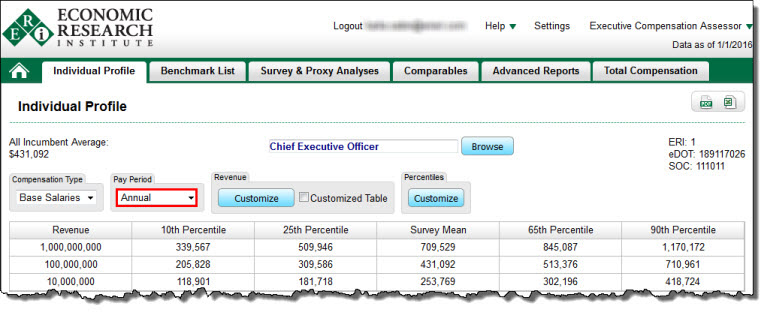
From the Individual Profile table, click on the drop-down menu below Pay Period and select a pay period (the default is Annual).
From the Benchmark List table:
| 1. | Click on the header for column 4 (Annual Salary) or column 7 (Actual Salary or Actual Annual Salary). |
| 2. | Select a pay period and click the OK button. |
Since salary data stored in the current databases was compiled on the "Database Date," and, since salaries vary with time, salaries need to be adjusted if the salary "Planning Date" differs from the "Database Date." See Salary Planning Date for more information.